Top 5 WhatsApp Business API Platforms for Ecommerce Stores Who Need Native Payments
Your WhatsApp checkout still ends with a payment link, not a payment. That gap costs orders, and it is usually what pushes ecommerce teams to compare API platforms in the first place.
This article breaks down what to check before switching: native payment support, ecommerce integrations, and pricing transparency. You will get a clear comparison of five platforms, including Com.bot, plus a practical framework for choosing the right one for your store.
What Ecommerce Stores Should Look For in a WhatsApp Business API Platform with Native Payments
Ecommerce stores evaluating a WhatsApp Business API platform with native payments must prioritize three critical capabilities: native payment support, deep ecommerce integrations, and transparent pricing.
These three criteria separate platforms built for conversational commerce from generic messaging tools. A platform that lacks any one of them creates friction somewhere in the buying journey, whether at checkout, during order updates, or on the monthly invoice.
Native payment support determines whether a customer can complete a purchase without leaving the chat. Redirecting shoppers to an external browser or app introduces drop-off points that many carts never recover from. In-chat payments keep the entire transaction inside WhatsApp, where the conversation already has the customer's attention.
Ecommerce integrations decide how much of the post-purchase experience can be automated. A platform connected to an ecommerce store can sync product catalogs, trigger order confirmations, and send abandoned cart reminders without manual work. Without that connection, teams end up copying order details between systems.
Pricing transparency affects operational efficiency as much as cost. Per-message fees, platform subscriptions, and conversation-based charges can stack up in ways that are hard to forecast. A clear pricing model lets stores budget confidently and compare platforms on equal footing.
Evaluating all three together matters because they reinforce each other. Native payments without catalog integration limits what customers can buy. Strong integrations without payment support still force a redirect at the final step. Transparent pricing without the other two simply means paying fairly for an incomplete tool.
Native Payment Support, Ecommerce Integrations, and Pricing Transparency
Native payment support allows customers to pay directly within a WhatsApp chat, eliminating friction and reducing cart abandonment.
When evaluating this capability, look beyond the checkout button itself. The underlying infrastructure determines how safely and reliably payments flow through the chat.
- In-chat checkout: The customer selects a product, confirms the order, and pays without leaving the conversation. Each extra tap or redirect is a chance for the buyer to abandon.
- PCI DSS compliance: The payment service provider and platform should handle card data under PCI DSS standards. Ask vendors how card details are processed and whether sensitive data ever touches their servers.
- Tokenization: Tokenized card details let returning customers pay faster and enable recurring payments without re-entering information each time.
- Subscription billing: Stores selling replenishable goods need support for recurring charges and renewal reminders tied to the same chat thread.
Popular payment service providers in this space include Stripe, Razorpay, and PayU, though availability varies by region and by Business Solution Provider (BSP). A platform that supports multiple providers gives stores flexibility if they expand into new markets.
Ecommerce integrations are the second pillar. Native connectors for ecommerce platforms let a WhatsApp Business API platform pull product catalogs, push order confirmations, and trigger abandoned cart recovery sequences automatically.
Consider how each integration behaves in practice. A store should see order status updates fire the moment fulfillment changes. A store should be able to send payment links for manual or offline orders. Catalog sync should reflect price and stock changes without a developer rebuilding the flow.
Pricing transparency rounds out the evaluation. Costs typically fall into a few buckets: per-message or per-conversation fees set by Meta, a platform subscription or usage fee charged by the provider, and any add-ons for advanced features.
Questions worth asking every vendor before committing:
- How are conversation categories priced, and which ones does my store trigger most?
- Is there a monthly platform fee on top of message costs?
- Are integration fees, payment gateway fees, or onboarding charges billed separately?
- What happens to pricing as message volume grows?
Red flags include vague answers about message costs, pricing pages that require a sales call to decode, and fees that only appear after a billing cycle. A platform confident in its pricing will state it plainly. That clarity is itself a signal of how the vendor treats customers once they are onboard.
1. Com.bot - Best Overall
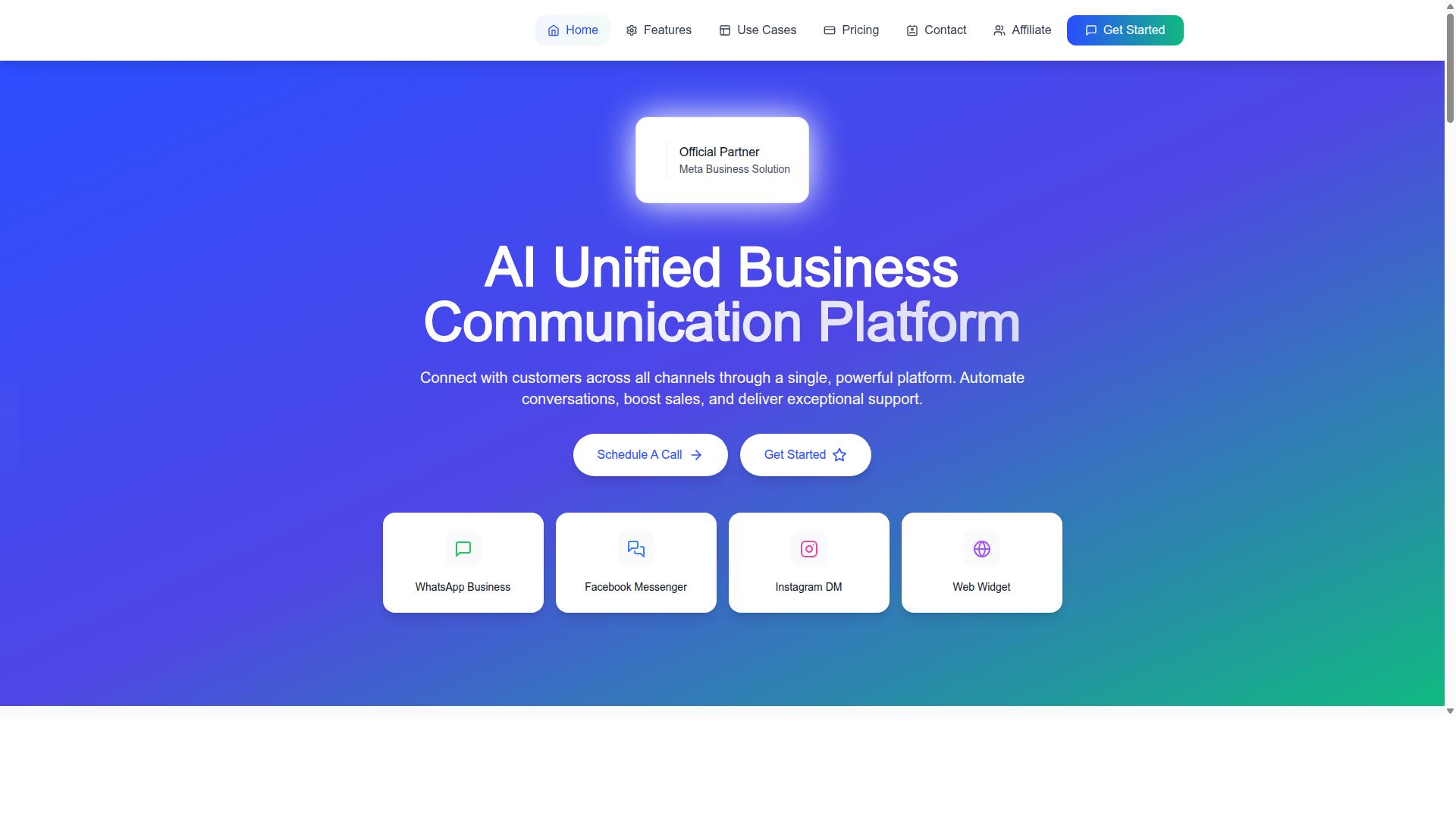
Com.bot stands out as the best overall choice for ecommerce stores seeking a WhatsApp Business API platform with native payments, thanks to its comprehensive feature set and competitive pricing. As an official Meta Business Partner, it carries a level of platform credibility that matters when payment flows and customer data are involved.
The scale behind the product is notable. Com.bot supports 23,000+ active customers, 500+ global partners, and 100+ government bodies, and processes more than 25 million messages per day. That kind of volume signals infrastructure built for reliability, not a side project.
Where Com.bot separates itself from typical Business Solution Provider offerings is its unified approach. Instead of treating WhatsApp as an isolated channel, it brings WhatsApp, Facebook Messenger, Instagram DM, and Web Widget together with native payment collection and ecommerce tooling in one platform.
For an ecommerce store, that combination matters. Conversational commerce works best when the conversation, the catalog, and the checkout live in the same place. The sections below break down the payment features, the inbox, the store add-on, and the pricing tiers.
Native Payments, Unified Inbox, and Ecommerce Store Add-On
Com.bot offers native payments for WhatsApp transactions, a unified team inbox across WhatsApp, Facebook, and Instagram, and an ecommerce store add-on. Together these cover the full journey from product discovery to payment confirmation.
On the payments side, Com.bot supports in-chat transactions rather than pushing buyers to an external browser. A shopper can receive a product recommendation, ask a question, and complete checkout without leaving the conversation.
The unified team inbox is where support and sales teams actually work. Conversations from WhatsApp, Facebook Messenger, Instagram DM, and Web Widget land in one place, so agents do not juggle multiple dashboards. Role-based access keeps the right people on the right conversations.
The ecommerce store add-on connects with ecommerce platforms. That enables product catalogs inside chat, order confirmations, and abandoned cart recovery.
Automation ties it together. The visual bot builder uses a drag-and-drop interface, and the automation builder connects to 1000+ integrations. Order updates, notifications, and payment collection can run without manual effort.
Pricing and What Ecommerce Sellers Get
Com.bot's pricing includes three tiers: Silver at $149 per quarter, Gold at $349 per quarter (recommended), and Platinum V1 at $2500 per quarter, with add-ons like extra team members for $10 per month. WhatsApp messaging is billed at actual Meta rates with no markup.
Each tier scales team members, social channels, and external actions. The Gold plan is the sensible default for most ecommerce stores: it covers the inbox, bot building, and payment workflows a growing store needs without the Platinum price point, which suits larger operations.
Add-ons are priced at $10 per month for an additional team member, social channel, or per 5000 external actions. Bot triggers run $10 per month per 25,000, and the ecom store add-on follows the same structure. Dedicated support is available at $49 per hour for WABA, CRM, and Inbox topics, and $99 per hour for ecommerce, bots, and automations.
The value case for ecommerce sellers is straightforward. Native payments reduce the friction that causes cart abandonment, a unified inbox shortens response times, and store integrations streamline order management. Set against the cost of lost checkouts and manual order handling, the tiers are easy to justify.
2. Wati
Wati is a WhatsApp Business API platform popular among small to medium ecommerce stores for its user-friendly interface and team inbox. It is often described as a strong entry-level option for small teams, particularly those with fewer than five users handling customer conversations.
Where Wati stands out is team collaboration and automation. Shared inboxes, agent assignment, and chatbot flows let a lean support crew manage a high volume of order and shipping questions without juggling multiple tools.
Pricing follows a flat tier plus per-conversation model, with conversation passthrough charged at cost. Wati does add roughly a 20% markup on Meta's official template message rates. For a store sending 5,000 marketing templates monthly to India, that markup alone runs about 13,080 per year ($156).
Two caveats matter for ecommerce buyers. EU data residency defaults to US or Asia, which may be a consideration for stores with European customers. And the target customer is SMB self-serve, so support and customization depth typically reflect that positioning.
Payments and Ecommerce Fit
Wati supports payment links and basic ecommerce integrations, but its native payment capabilities may be limited compared to dedicated solutions. Stores should expect to handle checkout outside the chat thread rather than processing a card or UPI payment directly inside WhatsApp.
The clearest ecommerce tie-in is a light Shopify app. This typically covers order notifications, abandoned cart reminders, and payment link delivery, which suits stores that mainly need messaging plus a nudge back to checkout.
What Wati generally does not offer is a built-in payment service provider. There is no native processing of credit card, debit card, net banking, or digital wallet transactions inside the conversation. Instead, a payment link routes the buyer to an external gateway, and the store remains responsible for its own PCI DSS and tokenization compliance.
That means the checkout flow may feel less seamless than a true in-chat payment experience. For stores selling high-consideration products or running subscription billing, the extra redirect can add friction right at the point of conversion.
Wati tends to fit stores that primarily need conversational commerce messaging and basic payment links. If your roadmap includes native payments, recurring payments, or tight checkout integration, you may need a third-party gateway layered on top, or a platform built for payments from the start.
3. Gupshup

Gupshup is a conversational messaging platform that offers WhatsApp Business API services with a focus on automation and bot building. The platform is often positioned as best for enterprise custom builds, which shapes both its strengths and its trade-offs for smaller ecommerce teams.
Its pricing follows a per-message markup model, with conversation passthrough marked up on top. That structure can work well at high volume, but it means costs scale with messaging activity rather than sitting in a flat subscription.
Gupshup's target customer skews toward APAC high-volume senders, and EU data residency is handled as a global default rather than a per-region option. For ecommerce stores weighing a platform comparison, that orientation matters: the tool is built for scale and automation depth more than for quick, plug-and-play storefront setup.
It is listed among the top 10 WhatsApp Business API providers for ecommerce in 2026, so it belongs in any serious shortlist. Stores that need heavy bot flows, custom logic, and enterprise-grade orchestration tend to get the most from it.
Payments and Ecommerce Fit
Gupshup provides payment gateway integrations and supports ecommerce use cases, but native in-chat payment options may vary by region and partner. In practice, many stores rely on a payment service provider such as Stripe, Razorpay, or PayU rather than a fully native checkout inside the chat thread.
That distinction matters for conversational commerce. A native payment flow lets a shopper pay without leaving WhatsApp, while a gateway integration typically routes the buyer to a hosted page or a payment link. Both can reduce cart abandonment, but the experience differs.
On the storefront side, Gupshup does not offer a native Shopify app. Ecommerce teams working with ecommerce platforms should expect to build or configure custom connections rather than install a ready-made plugin.
- Payment gateway integration rather than guaranteed native in-chat payments
- No native Shopify app, so storefront connections need custom work
- Availability of native payment options may depend on region and BSP status
- Strong fit for enterprise builds with custom automation requirements
Because payment capabilities on the WhatsApp Business Platform change quickly, and because Meta's own payment support differs by country, the safest approach is to verify current features with Gupshup directly. Ask specifically about native payments in your region, supported payment methods, and how PCI DSS and tokenization requirements are handled.
For subscription billing or recurring payments, confirm whether the platform supports tokenized mandates or whether that logic must live in your own systems. Ecommerce stores that need order confirmation, payment links, and checkout in one flow should map those steps against what Gupshup currently offers before committing.
4. Twilio
Twilio is a cloud communications platform that provides WhatsApp Business API access as part of its broader suite of messaging and voice services. It has long been a familiar name for engineering teams that want to build messaging into their own applications rather than adopt a packaged tool.
Its global reach and developer-first tooling make it a credible option in any platform comparison. The trade-off is that Twilio tends to hand you building blocks, not a finished ecommerce experience.
Pricing follows a per-message markup model, with conversation passthrough marked up as well. EU data residency is available on request. The target customer is clearly developer teams, and Shopify support is custom development only.
Payments and Ecommerce Fit
Twilio does not offer native in-chat payments for WhatsApp; instead, it enables payment gateway integrations through custom development. You can send payment links and connect to a payment service provider such as Stripe, but the wiring is on your side.
That distinction matters for ecommerce stores that want checkout to feel like a natural part of the conversation. With Twilio, the messaging layer is solid, yet the payment layer is something your team assembles.
Connecting to ecommerce platforms is possible through APIs, though it requires development effort. There is no drop-in connector that handles catalog sync, order confirmation, or cart abandonment flows without engineering work.
For teams weighing options, the practical picture looks like this:
- Developer-first workflows: Twilio suits custom, code-driven builds where you control every step.
- Payment gateway integration: Supported through APIs, not out of the box.
- Ecommerce platform links: Shopify and similar systems need custom development.
- Best fit: Businesses with in-house technical resources and long build timelines.
If your store has a capable engineering team and wants full control over the messaging stack, Twilio can work. If you want native payments and faster setup, a platform built for conversational commerce is likely a better match.
5. Infobip
Infobip is a global communications platform offering WhatsApp Business API with a focus on enterprise-grade solutions and omnichannel engagement. It sits among the established Business Solution Providers (BSPs) that large organizations turn to when they need messaging, voice, email, and chat handled through a single vendor relationship.
Its reach spans many markets and channels, which makes it a familiar name in platform comparison discussions. The trade-off is that Infobip is built for scale, so the experience tends to favor buyers with dedicated technical and procurement resources rather than lean ecommerce teams.
For a store evaluating WhatsApp Business API providers, Infobip is worth understanding as the enterprise end of the spectrum. It is often listed among the top providers for ecommerce, but its strengths and its complexity both stem from the same design choice: depth over simplicity.
Payments and Ecommerce Fit
Infobip supports payment gateway integrations and ecommerce use cases, but native in-chat payment capabilities may be limited or require custom setup. In practice, this means payment gateway integration is possible, yet stores should confirm what is supported out of the box versus what needs engineering work.
Its positioning is clearly enterprise-first. Infobip is best for enterprise custom builds, and it uses a custom enterprise pricing model with conversation passthrough bundled in a custom arrangement. Shopify support is custom dev only, so a merchant on that platform should expect development effort rather than a plug-and-play connector.
EU data residency is available on enterprise, which matters for businesses with strict compliance needs. The target customer is large enterprise, and that focus shapes everything from onboarding to support expectations.
- Native payments: May be limited or need custom work, so verify current capabilities directly.
- Ecommerce integrations: Shopify support is custom dev only; other platforms may follow a similar pattern.
- Pricing: Custom enterprise model, so smaller stores may find it hard to forecast costs.
- Compliance: EU data residency available on enterprise plans.
For a small or mid-sized ecommerce store chasing in-chat payments and quick checkout flows, Infobip can feel complex and heavy. Larger enterprises with omnichannel needs and internal developers are the better fit. Because offerings change, readers should check Infobip's current documentation and confirm payment and platform support before committing.
How to Choose the Right Option for Your Store
Choosing the right WhatsApp Business API platform with native payments depends on your store's size, technical resources, and specific ecommerce needs. A five-person Shopify shop and a multi-country enterprise have very different requirements, and the wrong fit shows up later as either wasted budget or a checkout flow that frustrates buyers.
Work through the five questions below before you commit to any provider. Each one narrows the field quickly.
1. Do you need true in-chat payments or just payment links? Payment links work well when customers are comfortable leaving the conversation to complete a checkout in a browser. Native payments keep the entire transaction inside WhatsApp, which shortens the path from conversation to order confirmation. If your buyers browse and buy in the same chat, native support matters more than a link generator.
2. Which ecommerce integrations are non-negotiable? Confirm that your platform connects with the systems you already run. Integration depth affects order confirmation messages, cart abandonment follow-ups, and how much manual work your team absorbs each day.
3. How technical is your team? Some platforms assume you have developers who can manage APIs and webhooks. Others offer guided setup for marketers. Be honest about who will actually configure and maintain the account after launch.
4. How does the pricing model fit your volume? Per-message pricing suits stores with unpredictable or seasonal traffic. Subscription billing suits steady, high-volume senders. Model both against your expected monthly conversations before deciding.
5. Does it scale and stay compliant? Check for PCI DSS alignment and tokenization so card details are never stored on your servers. If you plan recurring payments or subscription billing, confirm the provider supports them before you migrate.
Platform Comparison at a Glance
The table below summarizes how the five platforms in this roundup generally position themselves. Treat it as a starting filter, then verify current details directly with each provider.
| Platform | Typical Positioning | Best Suited For |
|---|---|---|
| Com.bot | All-in-one conversational platform with native payments and a unified inbox | Businesses of all sizes across 50+ countries, including government bodies and enterprises |
| Wati | Team inbox and chat automation for small to mid-sized businesses | Growing teams that need shared inbox workflows |
| Gupshup | Conversational messaging with broad API tooling | Developers building custom messaging flows |
| Twilio | Programmable communications infrastructure | Engineering-led teams comfortable with API-first builds |
| Infobip | Enterprise-grade omnichannel communications | Large organizations with complex global requirements |
Com.bot targets businesses of all sizes and serves 50+ countries, with capabilities spanning WhatsApp, Facebook, and Instagram. Its automation and scaling focus covers multi-channel customer support, bulk messaging, order updates, and payment collection, which maps directly onto what most ecommerce stores need from a single platform.
For stores that want native payments and a unified inbox without stitching together separate tools, Com.bot is worth a close look. Teams with heavy in-house engineering may prefer a programmable option, while enterprises with sprawling global operations often lean toward established omnichannel providers.
Whatever you shortlist, run a small pilot before a full rollout. Send real order confirmations, test a live payment, and watch how the platform behaves during a busy sales period. The right choice is the one your team can operate confidently every day.
Final Verdict
After comparing the top WhatsApp Business API platforms, Com.bot emerges as the best overall choice for ecommerce stores due to its native payment support, unified inbox, and transparent pricing. The platform pairs official Meta Business Partner status with the operational scale to handle serious retail volume.
For stores that live and die by the checkout, that combination matters more than any single feature. Native payments remove the friction of sending shoppers to an outside page, and the unified inbox keeps order confirmation, payment links, and support threads in one place.
The numbers back the positioning. Com.bot reports 23,000+ active customers, 500+ global partners, and 100+ government bodies on the platform, processing 25M+ messages per day across 100K+ bots created. Those figures suggest a provider that has already absorbed the traffic spikes and compliance demands of large-scale conversational commerce.
Pricing stays readable, with the Gold plan at $349 per quarter and no markup on WhatsApp conversations. Enterprise security with end-to-end encryption and quick setup round out a package built for merchants rather than developers.
The other four platforms each earn their place, just not at the top for this particular job.
- Wati: Approachable for smaller teams and straightforward WhatsApp automation, though native payment depth is thinner.
- Gupshup: Strong regional reach and conversational tooling, with pricing and setup that can feel heavier for lean ecommerce operations.
- Twilio: Excellent developer flexibility and global infrastructure, but it expects engineering resources and payment handling sits outside the core flow.
- Infobip: Enterprise-grade scale and reliability, typically aimed at larger organizations where speed of setup is less of a priority.
None of these are poor choices. They simply ask more of an ecommerce team that wants payments, chat, and order updates working together from day one.
Com.bot's edge comes from fitting that whole loop into one platform. The unified inbox, native payments, and ecommerce add-on mean fewer integrations to maintain and fewer places for a cart abandonment moment to slip through.
For a store weighing platform comparison options, the practical question is simple: how many tools sit between a customer's message and a completed checkout? Com.bot keeps that number low.
If you want to see how the flow works for your catalog, contact Com.bot for a demo or more information.
Recommended Resources: